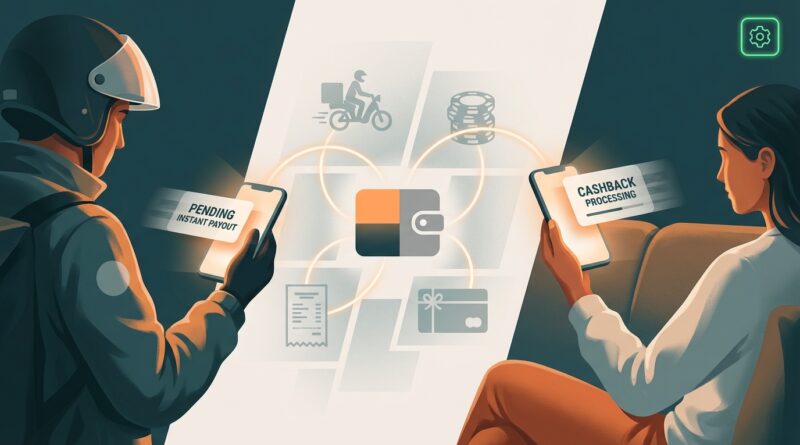
Instant Cash Back Wallet Drains: The One Setting You Must Check Before Your ‘Right Now’ Money Vanishes
You expect an instant payout to be instant. So when the money does not show up, or your balance looks a little smaller than it should, it feels personal. That is especially true when you were counting on that cash for gas, groceries, or a bill due tonight. The good news is that a lot of these problems trace back to one boring but important setting people skip. Before you panic, check where the app is actually sending the money. In many gig apps, reward games, and instant-pay casino wallets, the default payout method can quietly switch from debit card to bank transfer, from one card to an old card, or from “instant” to “standard.” That one setting is often the reason an instant cash back payout is not showing up. It can also explain why a fee was taken out and the rest seems to have vanished into limbo for a day or two.
⚡ In a Hurry? Key Takeaways
- Your missing “instant” payout is often caused by the payout method setting, not a full system failure.
- Check whether the app is set to instant debit card transfer, standard ACH, PayPal, or an old card before cashing out.
- Take screenshots of your balance, payout choice, and confirmation page so support cannot shrug off the problem.
The one setting you must check first
Open the app and go straight to Wallet, Cash Out, Payments, or Payout Methods. You are looking for the destination and speed of transfer.
This is the setting that trips people up most:
Instant payout vs standard transfer
Many apps show both options, but they do not always make the difference obvious. “Instant” may go to a linked debit card in minutes. “Standard” usually goes through ACH and can take 1 to 3 business days, sometimes longer if you cash out on a weekend or holiday.
If your instant cash back payout is not showing up, double-check that you did not accidentally tap the free option instead of the fast one.
Old card or wrong wallet
Apps sometimes keep old payment methods on file. If you replaced your debit card, switched banks, changed your PayPal email, or added a second account, the payout may have gone somewhere you are not checking.
That can make the money look “missing” when it is really sitting in an inactive account, a closed card route, or a wallet you forgot was linked.
Auto-switch after failed verification
Some platforms quietly move you off instant transfer if identity checks expire, your card does not support instant push payments, or the app flags the transaction for review. You may still see “cash out complete,” but the transfer has actually been downgraded to a slower method.
Why small balances seem to disappear after payout
This is the second headache. You cash out, then notice a few dollars are gone. Usually, one of four things happened.
Instant cash-out fees
That “instant” button often comes with a fee. It might be a flat fee, a percentage, or a minimum charge. If you withdrew a small balance, that fee can take a bigger bite than expected.
Minimum reserve or playthrough rules
Reward apps and gaming apps sometimes hold back part of your balance until a pending reward clears, a bonus requirement is met, or anti-fraud checks finish. It is annoying, but common.
Pending rewards were never fully settled
A balance can look available before it is truly withdrawable. If part of your cash back was still marked pending, the app may have only paid out the cleared portion.
Currency conversion or processor deductions
This happens more with casino wallets and some international payout processors. The amount approved by the app and the amount arriving at your card are not always identical.
How this shows up across different app types
The details vary, but the pattern is the same. The money gets delayed because the payout route, verification status, or fee rules changed in the background.
Gig apps
Drivers, shoppers, and task workers often rely on daily cash-outs. Here, the biggest trouble spots are expired debit cards, limits on the number of instant transfers per day, and weekend bank processing delays.
Instant-pay casinos
These can be fast when your account is fully verified. But if your ID, address, or payment method has not been checked, the “instant” part usually stops the moment you request a withdrawal.
Reward games and cash-back apps
These are more likely to have pending balances, payout thresholds, and small-print fees. If you use them to fill budget gaps, it is worth reading the withdrawal screen slowly before tapping confirm.
If you are trying to squeeze more value out of everyday money moves, it is also worth reading Instant Loan Payment Cash Back: The New ‘Right Now’ Hack Hiding In Your Existing Bills. It looks at another place where people miss money that may already be sitting inside bills they are paying anyway.
A 5-minute checklist when your payout is stuck
Before you contact support, do these steps in order.
1. Check the payout receipt inside the app
Look for the exact destination. Debit card ending in 1234. Bank account ending in 9876. PayPal. Gift card. The answer is often right there.
2. Confirm whether it was instant or standard
If the confirmation says “up to 3 business days,” you are dealing with a delay, not a disappearance.
3. Check for pending or under review status
Words like “processing,” “submitted,” “review,” or “pending approval” mean the transfer has not fully left the app yet.
4. Review your fees and minimum withdrawal rules
This explains a lot of those mysteriously smaller payouts.
5. Verify your card supports instant push payments
Not every debit card does. Some prepaid cards and smaller banks are hit or miss.
6. Look in the right place
If the payout went to PayPal, it may be sitting in your PayPal balance, not your bank. If it went to a bank, your bank may show it as pending or hide it until it posts.
7. Screenshot everything
Take screenshots of your balance before cash-out, the payout method selected, the confirmation page, and any transaction ID. If support gets involved, this saves time.
When you should worry
Most delays are annoying, not dangerous. But a few signs mean you should act fast.
Red flags
If the payout destination changed without your permission, if you see a card you do not recognize, if your password stopped working, or if support messages claim you must pay a fee to “release” your money, stop right there.
Change your password. Turn on two-factor authentication. Remove unknown payment methods. Contact support through the app or official website only.
How real users avoid stuck withdrawals
The people who depend on these apps tend to use the same habits over and over.
- They keep only one active payout method linked when possible.
- They cash out a small test amount after changing cards or banks.
- They verify identity documents before they need the money, not during a money emergency.
- They read the withdrawal screen every single time, even if they have used the app for months.
- They avoid last-minute weekend cash-outs if the app has a history of ACH delays.
At a Glance: Comparison
| Feature/Aspect | Details | Verdict |
|---|---|---|
| Payout speed setting | Apps often default to standard bank transfer instead of instant debit payout, especially after updates or verification issues. | Check this first. It solves a surprising number of “missing money” cases. |
| Linked payment method | Old cards, wrong PayPal accounts, or unsupported debit cards can send your cash to the wrong place or delay it. | High risk if you recently changed banks or cards. |
| Fees and holdbacks | Instant transfer fees, pending rewards, and minimum reserve rules can make balances look smaller after withdrawal. | Always read the payout summary before confirming. |
Conclusion
If your instant cash back payout is not showing up, start with the least exciting answer first. Check the payout destination, the transfer speed, and the fee breakdown. That one minute of digging can save a lot of stress. More people are depending on instant payouts and same-day rewards to cover everyday life, while the fine print keeps shifting in the background. A simple habit like reviewing your payout setting before every withdrawal can help you avoid stuck transfers across gig apps, instant-pay casinos, and reward games. When money is tight, protecting every dollar matters. Especially the dollars you were told would arrive right now, not in 3 to 5 business days.