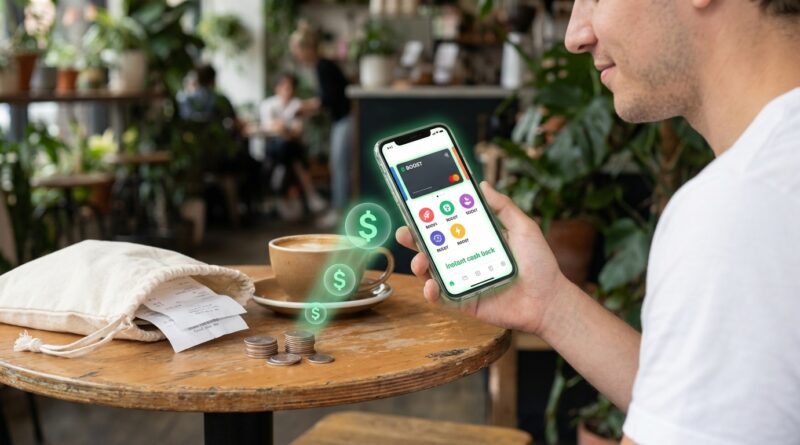
Instant Cash Back ‘Boosts’: The One Setting Inside Cash App That Can Put Money Back In Your Pocket Today
It is annoying to find out you could have been saving money this whole time and did not even know the switch existed. That is exactly what happens with Cash App Boosts. Plenty of people carry a Cash Card, tap it at coffee shops, burger spots, grocery stores, and gas stations, and never realize Cash App often has instant discounts sitting there waiting to be turned on. Not points. Not a reward you cash out next month. Actual same-day savings when the purchase goes through. If you have been searching for how to use cash app boosts for instant cash back, the good news is this is one of the easier money wins on your phone. No new credit card. No hard pull. No complicated signup maze. You just need to know where Boosts live in the app, how to activate one before you pay, and what limits or rules can trip people up.
⚡ In a Hurry? Key Takeaways
- Cash App Boosts are instant discounts tied to your Cash Card, and you usually need to activate one before you make the purchase.
- Open Cash App, tap your Cash Card tab, find available Boosts, add the one you want, then pay with that Cash Card at the matching store or category.
- Boosts can save real money fast, but always check the rules, expiration date, spending cap, and whether the merchant qualifies before counting on the discount.
What Cash App Boosts actually are
Think of Boosts as small coupons built right into your Cash Card.
When you add one, Cash App applies a discount to an eligible purchase. Depending on what is available in your account, that might be money off coffee, a percentage off at restaurants, or savings at grocery stores and other everyday merchants.
The key detail is this. A Boost is usually not automatic unless you have already turned one on. That is the part many people miss.
If you swipe your Cash Card without an active Boost, you may get nothing. Same store. Same coffee. Different result.
How to use Cash App Boosts for instant cash back
Here is the simple, screenshot-style walkthrough most people need.
1. Open Cash App
Start in the main Cash App screen on your phone.
2. Tap the Cash Card tab
Look for the tab that shows your Cash Card. In many versions of the app, this is where card controls and card-related offers live.
3. Find your available Boosts
Scroll until you see the Boosts section or a list of offers attached to your Cash Card. The exact layout can move around as Cash App updates the app, but the offers are typically near the Cash Card controls.
4. Read the offer details before you add it
This matters more than people think. Check:
- The store or purchase category
- The discount amount or percentage
- The expiration date
- Any minimum purchase requirement
- Any max discount cap
- Whether it works one time or multiple times
5. Tap to add or activate the Boost
Once it is active, that is the one tied to your Cash Card for your next eligible purchase, or for the period listed in the offer details.
6. Pay with your Cash Card
Use the physical Cash Card or the linked digital Cash Card in your mobile wallet if the merchant accepts it. The purchase must usually be run as a Cash Card transaction, not through some other card or funding source.
7. Check your transaction details
After the purchase posts, look in your Cash App activity. If the Boost applied correctly, you should see the discount reflected there.
What “instant cash back” really means here
Cash App calls these Boosts, and the savings usually show up right away or very quickly in your transaction details. It is different from old-school credit card rewards that sit in an account until you redeem them later.
That is why this feature feels useful in real life. You buy lunch today. You save today.
For someone trying to cut weekly spending, that is a lot more practical than chasing a giant signup bonus that takes months and a big spending target to unlock.
Real-world examples of same-day wins
The offers change, so no one should expect the exact same list every day. But here is what using Boosts can look like in normal life.
Coffee run
You add a coffee-related Boost before heading out. Your drink and breakfast sandwich come to $11. If the Boost knocks a few dollars off or gives you a percentage discount, that savings shows up on the purchase instead of becoming points you might forget about.
Fast food stop
You are grabbing dinner because the day got away from you. A restaurant Boost can trim a little off the total with almost no effort. It is not life-changing by itself, but if you eat out a couple of times a week, it adds up.
Grocery purchase
This is where people tend to notice the value most. A grocery-related Boost on a bigger purchase can feel more meaningful than a discount on a single coffee. If there is a cap, make sure you know it before you load up your cart expecting a larger savings than the offer allows.
The catches people run into
Boosts are simple, but there are a few easy mistakes.
You forgot to activate it first
This is the big one. If the Boost was not active before you paid, you may miss the discount.
The merchant did not code the way you expected
Some offers depend on how the seller is categorized by the payment network. A coffee shop inside a grocery store, for example, may not ring up the same way as a standalone coffee chain.
You hit the cap
A Boost may say something like a percentage off up to a certain dollar amount. If you spend past that limit, the extra amount may not get any discount.
The offer expired
Always check the date. Some offers disappear quickly.
You used the wrong payment method
If you paid with a different linked card, a bank transfer, or another wallet setup that did not process as your Cash Card, the Boost may not apply.
Tips to squeeze more value out of Boosts
You do not need to turn this into a hobby. A few habits are enough.
Check offers before you leave the house
If you already know you are grabbing lunch or groceries, open Cash App for 10 seconds first. That one glance can save money you would otherwise miss.
Match the Boost to spending you were already going to do
This is important. A discount only helps if it does not push you into buying something extra you did not need.
Use it on routine purchases
Coffee, quick meals, and grocery trips are where small discounts can quietly stack up over a month.
Take a screenshot of a good offer
Not because Cash App will not remember it, but because it helps you compare later and notice which categories come back often.
Is it better than a rewards credit card?
Sometimes yes, sometimes no.
If you are great at managing cards, paying balances in full, and optimizing categories, a strong rewards credit card can beat many app-based discounts over time. But that is not the whole story.
Boosts are easier. They are immediate. They do not require a new application or a credit check. And for people who prefer debit spending or want tighter control over their budget, that simplicity is the whole point.
This is not about winning the internet points game. It is about keeping more of your own money with less hassle.
Safety and common-sense advice
A deal is only good if you use it safely.
Keep your Cash App updated
New versions often fix bugs and improve the way offers display.
Turn on security features
Use a strong passcode and any extra login protection Cash App offers.
Do not leave a large balance sitting there if you do not need to
If you mainly use Cash App for occasional card purchases, only keep what makes sense for your spending habits.
Watch out for fake messages about rewards
Scammers love payment apps. Ignore random texts, emails, or social posts claiming you need to click a link to unlock special Boosts.
Who should use Cash App Boosts
This feature is especially useful for:
- People who already use a Cash Card regularly
- Anyone trying to cut everyday spending without opening a new credit card
- Shoppers who want instant savings instead of slow points programs
- Budget-minded users who prefer debit over credit
If that sounds like you, this is one of the easier app settings to start using today.
At a Glance: Comparison
| Feature/Aspect | Details | Verdict |
|---|---|---|
| Setup effort | Open Cash App, go to Cash Card, choose a Boost, activate it, then pay with the Cash Card. | Very easy for most users |
| Reward timing | Savings usually show up on the eligible purchase right away or shortly after the transaction posts. | Great for instant value |
| Potential downside | Offers change, can expire, may have caps, and usually must be activated before checkout. | Worth using, but read the fine print |
Conclusion
Cash App Boosts are not flashy, and that is exactly why so many people miss them. Right now there is a flood of advice about giant credit-card bonuses and long-term bank promos, but not much that helps regular people save money on a coffee, a grocery run, or a quick dinner tonight. That is what makes this feature useful. If you know how to use cash app boosts for instant cash back, you can turn on a discount in a few taps and get a same-day win without a new credit check or a maze of signup rules. Check the app before your next purchase. If a Boost matches something you were already going to buy, flip it on and keep the savings. Simple beats complicated a lot more often than people think.